
Download Thunder Address – virtual agenda, personal notebook, professional notebook, contact management, meeting organizer, task planner, information tracker
Overview
Thunder Address is a productivity-focused mobile application designed to serve as a comprehensive virtual agenda for individuals managing complex personal and professional lives. Its primary purpose is to centralize essential information in an organized, accessible format, reducing the cognitive load associated with juggling multiple responsibilities. By enabling users to create distinct notebooks for personal and professional use, the app supports effective compartmentalization of data, which is particularly valuable for users who need to maintain clear boundaries between work and private life. The app addresses common challenges such as forgotten meeting times, lost contact details, and disorganized task tracking by offering a unified platform where all critical information can be stored and retrieved instantly.
Target users include professionals, students, freelancers, and anyone with a demanding schedule who relies on consistent access to structured data. The app’s focus on information tracking and task planning makes it a practical tool for individuals seeking to improve their daily efficiency. Although the developer, ThunderSoft, is listed, no additional background information about the company’s history or other products was provided. Real-world use cases include tracking client meetings, storing personal notes for gift ideas, managing event timelines, and maintaining a centralized record of important contacts. In the broader app ecosystem, Thunder Address fills a niche for lightweight, focused tools that prioritize usability and organization without unnecessary complexity.
Key Features & Functionality
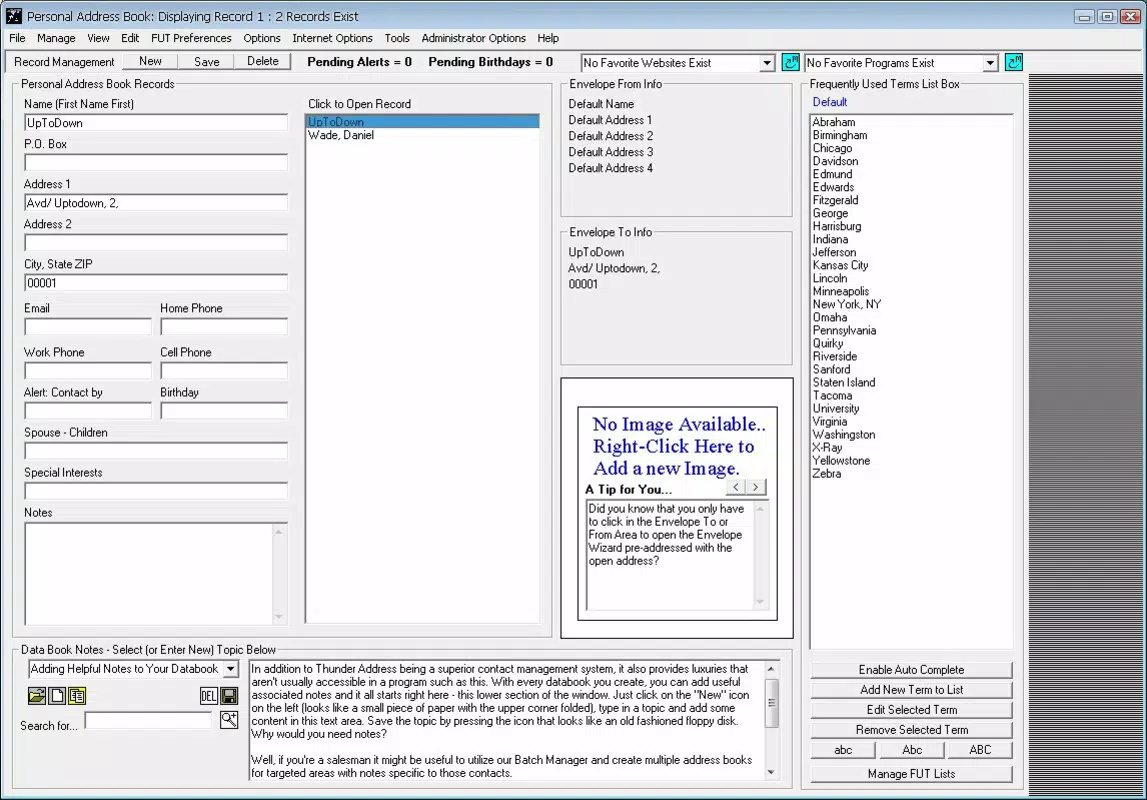
- Dual Notebook Styles: Users can create and manage two separate notebooks—one for personal use and another for professional tasks. This allows for clear segregation of data, helping users avoid confusion and maintain privacy across different life domains.
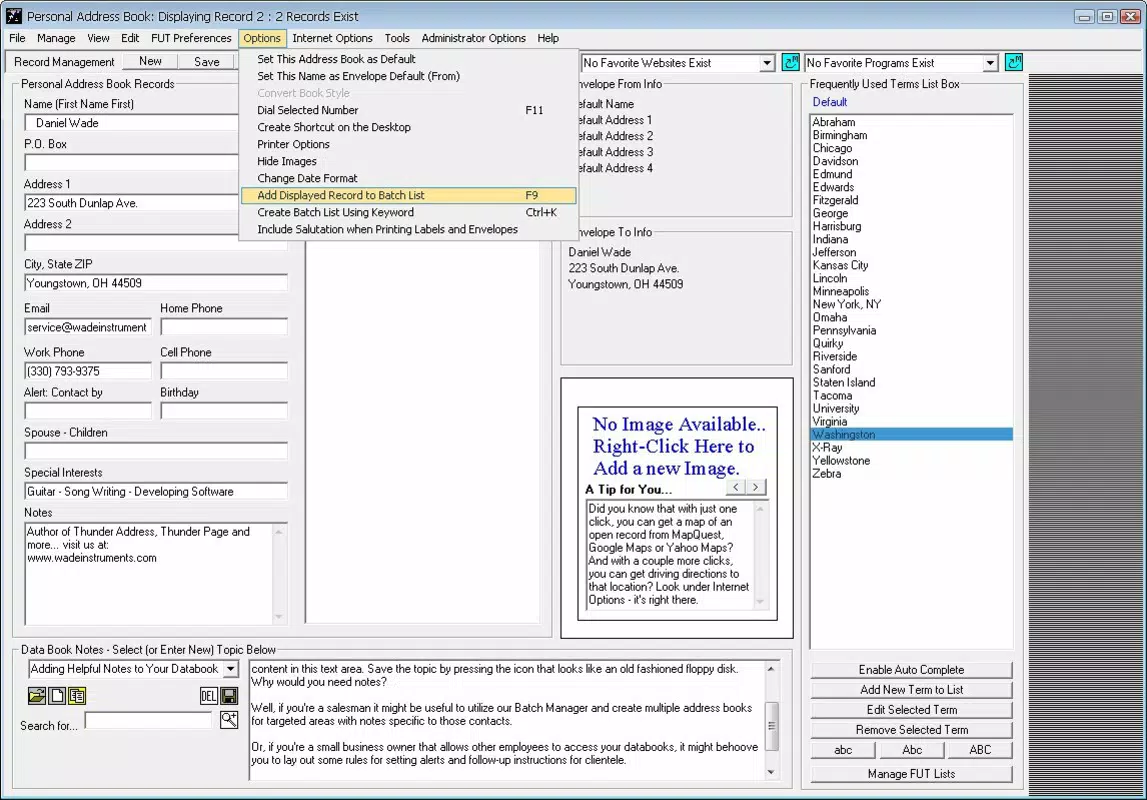
- Information Storage: The app supports the addition of diverse data types, including contact details, meeting dates, locations, personal interests, and other relevant notes. This flexibility makes it suitable for both routine planning and spontaneous information capture.
- Writing Support & Autocomplete: Integrated writing assistance and an autocomplete function streamline text input, reducing typing time and minimizing errors when drafting notes or messages directly within the app.
- Direct Access to Websites: With one tap, users can launch favorite websites or applications directly from within Thunder Address, enabling quick navigation and efficient multitasking without switching between multiple apps.
- Enhanced Organization: The app is built around the principle of intuitive information management, offering a structured environment that helps users stay on top of commitments, deadlines, and recurring events.
For example, a freelance designer might use the professional notebook to store client contact information, project deadlines, and meeting notes, while the personal notebook could track family birthdays, gym schedules, and upcoming travel plans. The autocomplete feature proves especially useful during fast-paced workdays when quick note-taking is essential. The direct website access feature allows immediate access to reference materials or online calendars, improving workflow continuity.
Interface, UX & Performance
Thunder Address features a clean, minimalist interface designed for ease of use and rapid information retrieval. The layout emphasizes clarity and functionality, with a straightforward navigation system that allows users to switch between personal and professional notebooks with minimal effort. Visual elements are kept simple, focusing on readability and quick access to content rather than decorative features. The app’s design supports a smooth user experience, particularly for individuals who prefer text-based organization over visual-heavy tools.
Navigation is intuitive, relying on clear labels and logical grouping of content. Users can add, edit, or search for entries with minimal taps, reducing friction during daily use. Although the developer did not list formal performance metrics, the app’s small file size of 1.5 MB suggests it is optimized for low-resource devices. It is expected to run efficiently on a range of Android devices, including older models, though specific compatibility details were not disclosed. Responsiveness appears consistent based on available information, and stability is likely maintained due to the app’s focused feature set and minimal system resource demands.
Platform Compatibility & Technical Requirements
Thunder Address is available exclusively on the Android platform. The current version is 1.0.2, with a file size of 1.5 MB, indicating a lightweight design that prioritizes speed and minimal storage usage. The app is free to download and install, making it accessible to a broad audience. While the developer did not specify minimum OS requirements, it is reasonable to assume compatibility with Android versions released around or after 2010, given the app’s release date of July 21, 2010. However, users should verify compatibility with their device’s operating system, as older Android versions may no longer receive updates or support.
For users seeking the latest version, regular updates are recommended to ensure continued functionality and security. The app’s long-standing presence in the ecosystem suggests reliability, though no information was provided about recent update frequency or future development plans.
Pros and Cons
Pros
- Lightweight design with minimal file size (1.5 MB)
- Free to download and use
- Dual notebook system supports personal and professional organization
- Simple, intuitive interface suitable for all user levels
- Direct access to websites and apps enhances multitasking
- Writing support and autocomplete improve input efficiency
Cons
- Developer did not provide detailed technical specifications or OS requirements
- No information on update frequency or long-term development roadmap
- Platform availability limited to Android only
- Interface lacks visual customization options
- No cloud sync or backup functionality was mentioned
FAQ
Is Thunder Address available for iOS devices?
As of the provided information, Thunder Address is only available on the Android platform. No details were given regarding iOS compatibility or future cross-platform plans.
Can I sync my data across multiple devices?
The developer did not disclose whether Thunder Address supports cloud synchronization or data backup across devices. Users should consider this limitation when relying on the app for critical information.
Is the app secure for storing personal information?
While the app allows storage of personal and professional data, specific security measures such as encryption or password protection were not mentioned. Users should exercise caution when entering sensitive information.
How often is Thunder Address updated?
There is no publicly available information on the frequency of updates. Users are advised to check the app store for the latest version and release notes.
Can I export or back up my notebooks?
The developer did not provide details on export or backup functionality. It is recommended to manually document critical information to prevent data loss.
Final Thoughts
Thunder Address remains a dependable tool for individuals seeking a streamlined, no-frills approach to digital organization. Its dual notebook system, lightweight design, and efficient writing support make it a practical choice for users who value clarity and simplicity. While it lacks modern features like cloud sync and cross-device access, its core functionality is well-executed and focused. The app is particularly beneficial for users with basic organizational needs who prefer a minimalistic, fast-loading solution. For those looking to enhance productivity without the complexity of feature-heavy alternatives, Thunder Address offers a solid foundation.
Download Thunder Address now


